K-Fold Validation in Python using sklearn
Validation means that we need to make sure a developped model (Neural Network, Support Vector Machine,…) works correctly and can accuratly calculate new outputs. We cannot use the same data points that were used to train/fit the model in order to validate it. The right way to do it, however, is to split the data into two sets: a training set, and a testing/validation set.
The testing set is usually about 20% of the data, if we use the “80-20” rule. The 80% set is used to train the model. The 20% set is used to test the model. This way, we make sure that the model can accuratly calculate new points that the model did not “see” or “train on” yet, and we can predict how the model will behave in “the wild”.
K-fold validation is a more complicated way to validate a model. It splits the data into several “folds”; e.g. 5 K-fold splits the data into 5 parts where 1 part is kept aside for testing, and the remaining 4 parts are used for training.
The following shows how to split the data using sklearn’s kfold function:
Required Packages:
The following packages need to be installed (run the following in command line or power shell):
pip install numpy sklearn matplotlib
Importing Packages:
import numpy as np
import sklearn.model_selection
import matplotlib.pyplot as plt
3 K-Fold Validation:
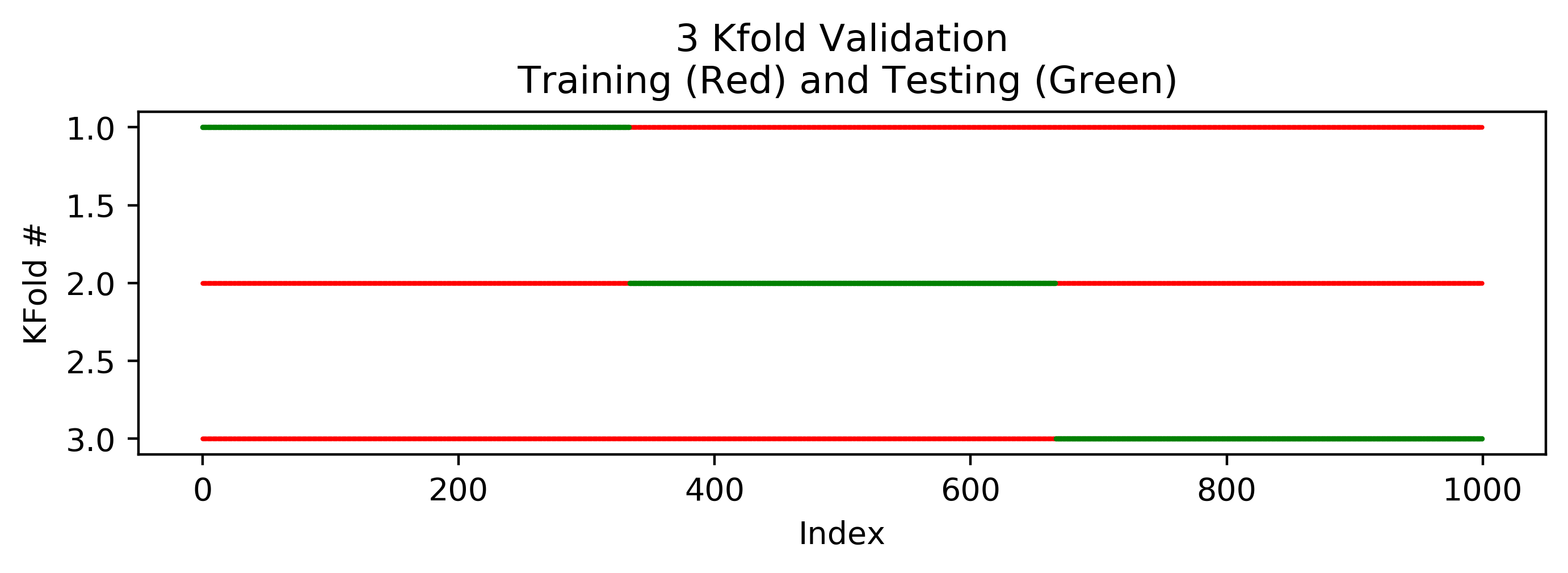
A 3 K-Fold validation will split the data into 3 parts. Validation will be done in 3 steps; in each step 1 part will be used for testing, and the rest will be used for training. This is why, in total, there will be 3 validation steps.
X = np.zeros(1000)
y = np.zeros(1000)
kfold = sklearn.model_selection.KFold(n_splits=3)
plt.figure(figsize=(8,2))
for i, (train_index, test_index) in enumerate(kfold.split(X)):
    plt.scatter(train_index, (train_index * 0) + i + 1, 1, color="red", marker=".", label="Training")
    plt.scatter(test_index, (test_index * 0) + i + 1, 2, color="green" , marker=".", label="Testing")
plt.xlabel("Index")
plt.ylabel("KFold #")
plt.gca().invert_yaxis()
plt.title("3 Kfold Validation\n Training (Red) and Testing (Green)")
plt.show()
The following plot shows the training and testing sets for each of the 3 folds. The training set is shown in red, and the testing set is shown in green.
5 K-Fold Validation:
By changing n_splits=3 to n_splits=5 in kfold = sklearn.model_selection.KFold(n_splits=5). The 3 Folds are now 5.
X = np.zeros(1000)
y = np.zeros(1000)
kfold = sklearn.model_selection.KFold(n_splits=5)
plt.figure(figsize=(8,2))
for i, (train_index, test_index) in enumerate(kfold.split(X)):
    plt.scatter(train_index, (train_index * 0) + i + 1, 1, color="red", marker=".", label="Training")
    plt.scatter(test_index, (test_index * 0) + i + 1, 2, color="green" , marker=".", label="Testing")
plt.xlabel("Index")
plt.ylabel("KFold #")
plt.gca().invert_yaxis()
plt.title("5 Kfold Validation\n Training (Red) and Testing (Green)")
plt.show()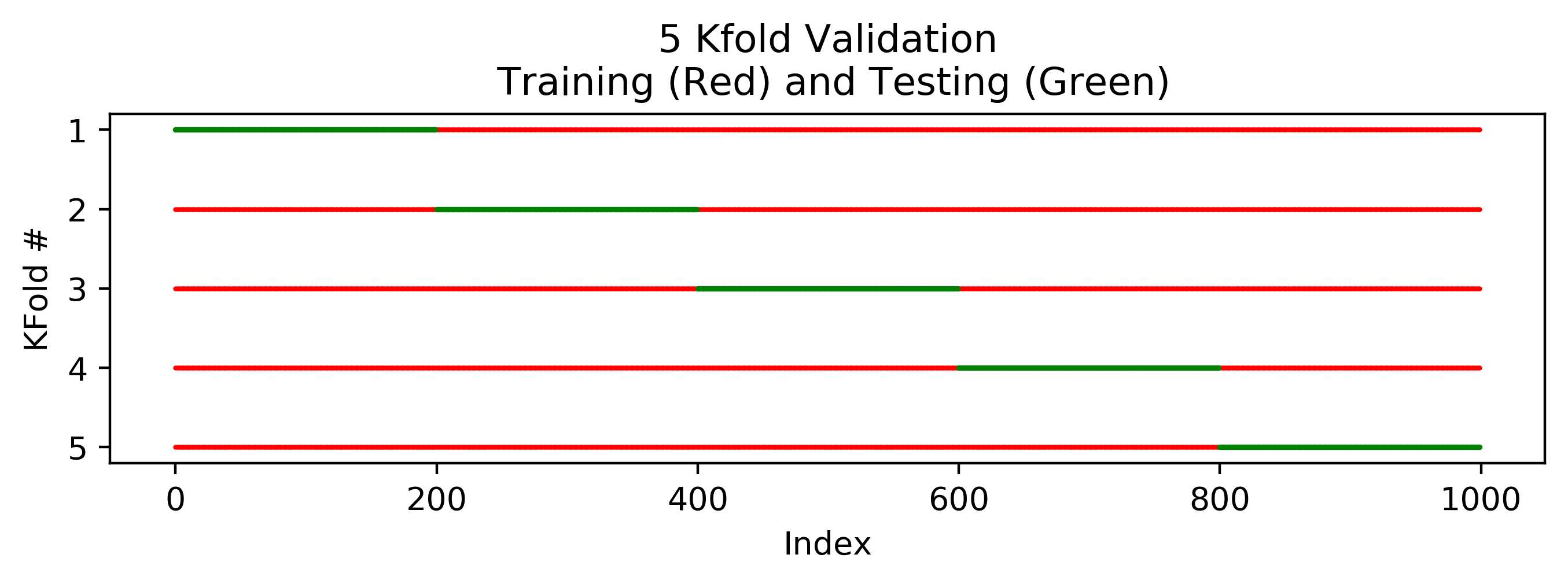
5 K-Fold Validation with Shuffling:
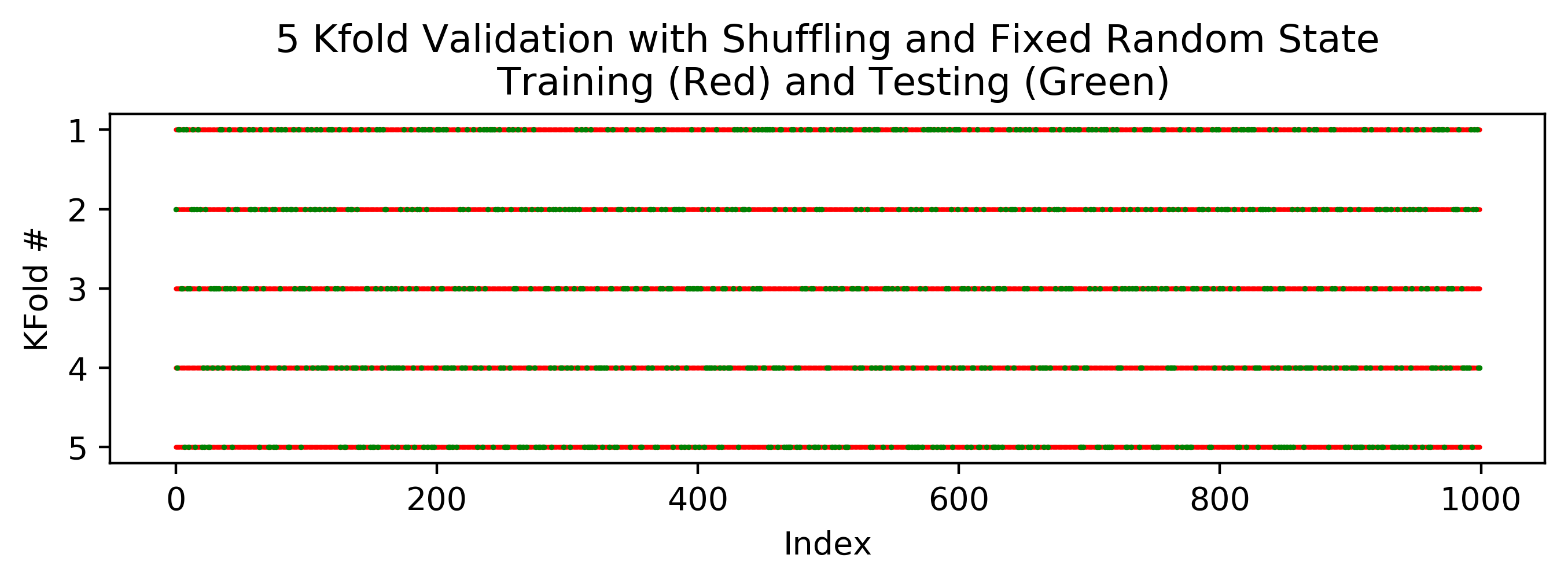
By adding shuffle=True to sklearn.model_selection.KFold(), the kfold is done with a random shuffling. This is easy to understand by looking at the figure following the code underneath. Now, sometimes we eant to make suer that the “randomness” is not really “random”; i.e. we want to make sure that each time we run the code, we will get the same sequence of random numbers. This way, where we run the sript again in the future (to recheck the results or show it to a anyone) we will have the same results. This can be acheived by adding random_state=1 to the function sklearn.model_selection.KFold().
X = np.zeros(1000)
y = np.zeros(1000)
# 5 Kfold Validation with Shuffling and Fixed Random State
kfold = sklearn.model_selection.KFold(n_splits=5, shuffle=True, random_state=1)
plt.figure(figsize=(8,2))
for i, (train_index, test_index) in enumerate(kfold.split(X)):
    plt.scatter(train_index, (train_index * 0) + i + 1, 1, color="red", marker=".", label="Training")
    plt.scatter(test_index, (test_index * 0) + i + 1, 2, color="green" , marker=".", label="Testing")
plt.xlabel("Index")
plt.ylabel("KFold #")
plt.gca().invert_yaxis()
plt.title("5 Kfold Validation with Shuffling and Fixed Random State\n Training (Red) and Testing (Green)")
plt.show()